Print-on-Demand Inspection Process: What Should Be Checked Before Packing?
Learn how a print-on-demand inspection process checks order matching, print clarity, artwork placement, product condition, and packing readiness.
Direct Answer
The short version
A print-on-demand inspection process checks whether the correct product and order were matched, the artwork was printed and positioned as expected, the product is in acceptable condition, and the item is ready for packing. The exact checks depend on the product, print method, facility, order volume, and supported route. Inspection can reduce preventable errors, but it should not be presented as a guarantee that every custom product will be perfect.What Print-On-Demand Inspection Actually Covers
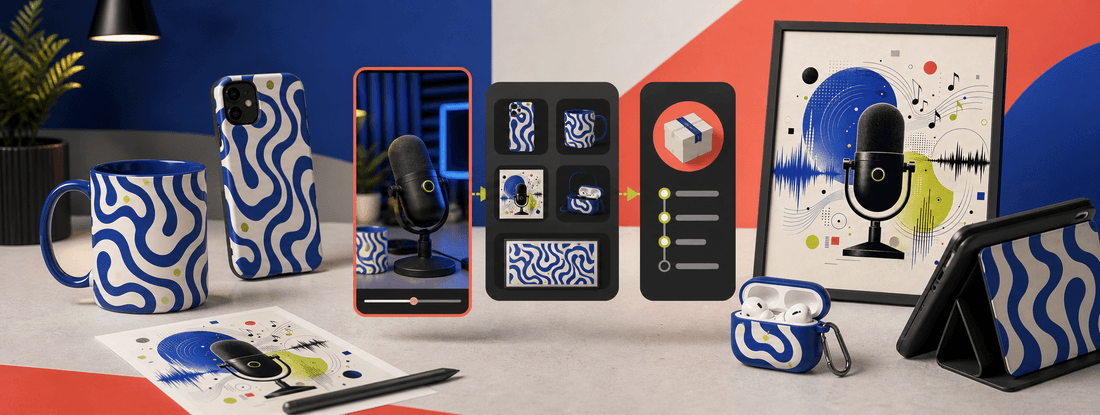
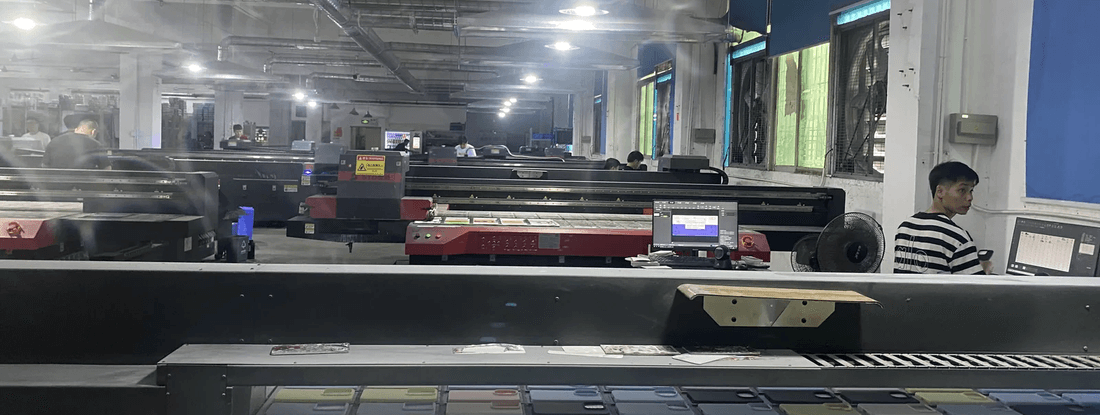
Print-on-demand inspection sits between production and packing. Its purpose is to catch visible or operational problems before an item enters the shipping workflow. It is different from approving the original design file and different from a laboratory product test.
A useful inspection process answers four questions:
- Is this the correct product for the order?
- Is the print clear and placed within the expected area?
- Is the product in suitable condition?
- Is the item ready to be packed with the correct order information?
Those questions sound simple, but the details change by product. A phone case has camera cutouts and curved edges. A mug has a printable area that wraps around a cylinder. Canvas wall art needs alignment, surface, and frame checks. A tech accessory may have a seam, hinge, clasp, or opening that affects artwork placement.
Step 1: Match The Order To The Product
Inspection should begin with order matching. A visually acceptable print on the wrong product is still an incorrect order.
The checker may need to confirm:
- Product type and variant
- Device model or size
- Color or finish
- Artwork or personalization file
- Order quantity
- Required packing or labeling information, where available
For phone cases, the device model is especially important. Similar model names can have different camera layouts or dimensions. Sellers should keep product titles and option labels clear enough that the customer, store, and fulfillment workflow refer to the same variant.
The PODJST product catalog shows the product choices available for current workflows. Availability can differ by production location and route, so a product should be confirmed before the listing promise is finalized.
Step 2: Check Print Clarity
Print clarity is the visible quality of the printed artwork. The check is not simply whether ink or color is present. It is whether important details remain readable and intentional on the physical product.
Depending on the product and print method, inspection may look for:
- Blurred or soft details
- Unexpected banding or marks
- Small text that is no longer readable
- Weak contrast
- Missing parts of the design
- Unintended gaps or edge behavior
- Color differences that exceed the approved expectation
Some color variation can occur between a digital screen, a mockup, and a physical product. Sellers can reduce surprises by using the requested file format and resolution, working in the recommended color workflow, and approving samples for important products.
File quality, safe areas, and product-specific artwork preparation all affect production readiness.
Step 3: Check Artwork Placement
Artwork placement asks whether the design appears in the intended position on the actual product. A high-resolution print can still fail if a face, word, logo, or focal point sits too close to an edge, camera opening, handle, hinge, or seam.
An artwork-placement check may review:
- Alignment against the approved print area
- Distance from cutouts and product edges
- Centering or intentional offset
- Rotation
- Important elements inside the safe area
- Whether the design wraps as expected
Placement checks are easier when the artwork file was prepared for the exact product template. Reusing one generic file across every phone model or product shape increases the chance of a mismatch.
For phone cases, see the more detailed phone case fulfillment workflow, which covers model eligibility, artwork checks, printing, inspection, packing, and shipping.
Step 4: Check Product Condition
The product itself should be reviewed separately from the print. The relevant condition checks depend on the item, but the goal is to identify visible damage or a functional problem before packing.
Examples include:
- Scratches, cracks, dents, or stains
- Surface contamination
- Misshapen parts
- Loose or damaged hardware
- Incorrect openings or cutouts
- Frame or edge damage
- Packaging damage that could affect the product
A condition check does not replace product specifications or formal safety testing. It is a production-stage review of the item being prepared for the customer.
Step 5: Confirm Packing Readiness
An item can pass print and condition checks but still need attention before shipping. Packing readiness confirms that the product can move into the correct packing workflow without creating an order-matching or protection issue.
The check may include:
- Correct item count
- Correct order or shipping label association
- Suitable protective material
- Product orientation inside the package
- Included insert or branded element, where supported
- No loose parts likely to damage the product
- Package size appropriate for the item
Packaging options are not identical for every product or route. Sellers planning custom inserts, labels, or branded packaging should confirm current availability before advertising those features.
The custom merch fulfillment guide explains how product eligibility, artwork, inspection, packing, and delivery expectations work together for brand and campaign orders.
Product-Specific Inspection Examples
Phone Cases
Check the device model, camera cutout, print clarity, edge placement, case surface, and overall condition. Detailed artwork near a cutout or curved edge deserves extra attention.
Custom Mugs
Check the mug type, print area, alignment, visible marks, handle area, rim, and body condition. A design that wraps around the mug should be reviewed from more than one angle.
Canvas Wall Art
Check print clarity, orientation, surface condition, edge treatment, frame condition where relevant, and protective packing. Artwork with straight lines makes alignment issues easier to see.
Tech Accessories
Check the correct accessory model, openings, hinges or clasps, artwork alignment, print clarity, hardware, and packing. Small products can still have product-specific print boundaries.
What Sellers Should Ask A POD Supplier
The phrase “quality control” is too broad on its own. Before making a customer-facing claim, ask:
- Which checks apply to this exact product?
- Is inspection visual, automated, manual, or a combination?
- Does the workflow check order and variant matching?
- How are print or placement issues handled?
- Can I order a sample before launch?
- Are custom packing options supported for this route?
- What happens when an item does not pass the check?
- Does the process change during high order volume?
PODJST can support production, quality checks, packing, and fulfillment for eligible products and supported routes. The exact workflow should be confirmed for the product, destination, and current capacity. Use the fulfillment overview for the broader order journey, or contact PODJST for a product-specific question.
Inspection Reduces Risk, But Does Not Remove It
Inspection is a control point, not a promise of perfection. Custom products can involve variation in substrates, printing, handling, carrier movement, and customer expectations. A credible seller combines supplier inspection with:
- Production-ready artwork
- Approved samples
- Clear product descriptions
- Accurate model and variant choices
- Realistic production and delivery language
- A documented support and replacement process
That combination is more useful than a vague “premium quality” badge because it explains how quality is managed and where the limits are.
Next Step
Review the product and artwork requirements first, then confirm which inspection, packing, and fulfillment steps apply to the intended product and route. Approve a sample before making broad quality or delivery claims.
FAQ
Common questions
What is a print-on-demand inspection process?
It is a production-stage review that can check order matching, print clarity, artwork placement, product condition, and packing readiness before a custom item ships. The checks vary by product and workflow.
Does quality inspection guarantee a perfect POD product?
No. Inspection can reduce preventable errors, but it does not eliminate every source of variation or damage. Sellers should also use production-ready files, samples, accurate listings, and a clear support process.
Is every POD product inspected in the same way?
No. A phone case, mug, canvas, and tech accessory have different shapes, print areas, and condition risks. The workflow can also vary by facility, print process, volume, and route.
What should be checked on a custom phone case?
The check may include the device model, camera cutout, print clarity, artwork placement, case surface, edge condition, and packing readiness.
Should I order a sample if the supplier performs quality checks?
Yes, especially for a hero product, detailed artwork, creator campaign, or paid launch. A sample lets you evaluate the product against your own brand and customer expectations.
Does PODJST provide quality checks?
PODJST can support quality-control steps for eligible products and supported workflows. The exact checks and route should be confirmed for the product and order requirements.